 Privacy Guard
Keep your WhatsApp Web
chats private
Blur names, photos and messages, lock WhatsApp Web with a password and share your screen safely. A free Chrome extension that runs 100% on your computer.
Add to Chrome – it's free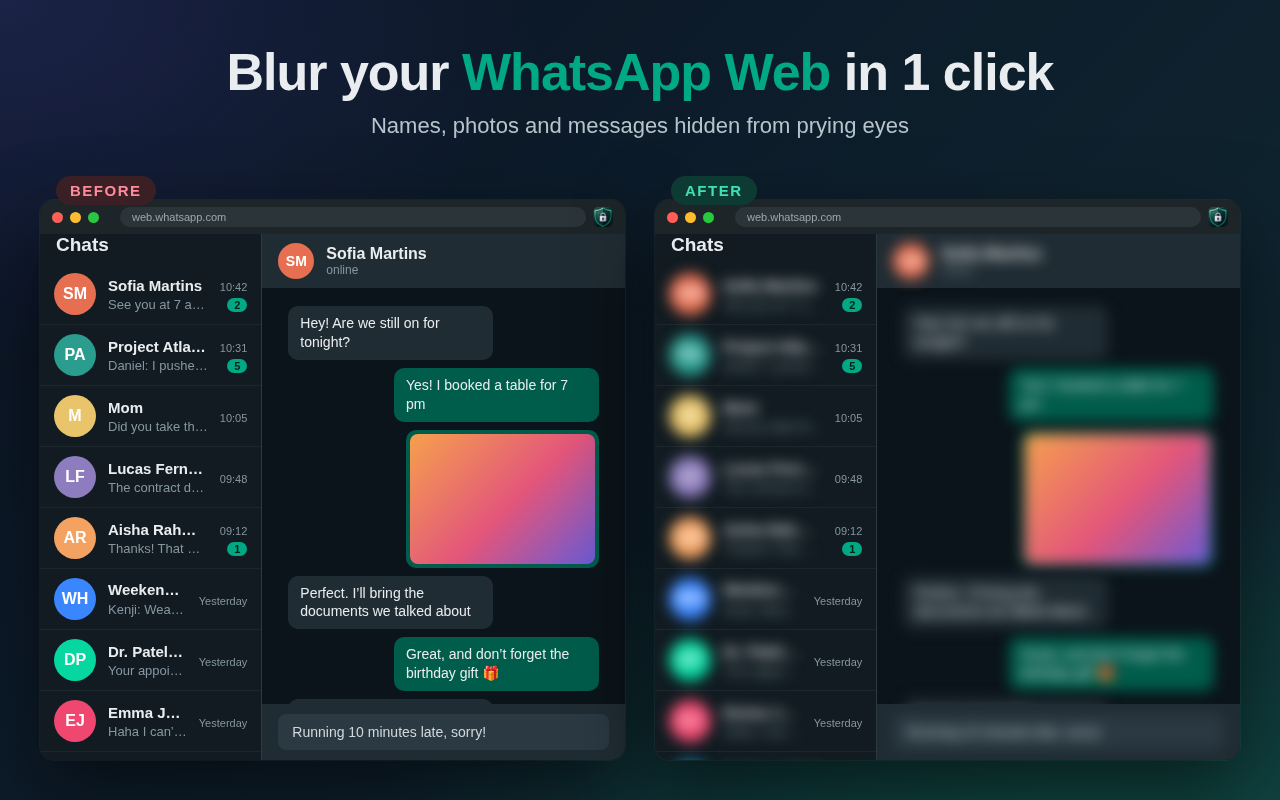
Everything you need to stay private
At the office, in a café, on a shared computer or in a video call: nobody reads your chats over your shoulder.
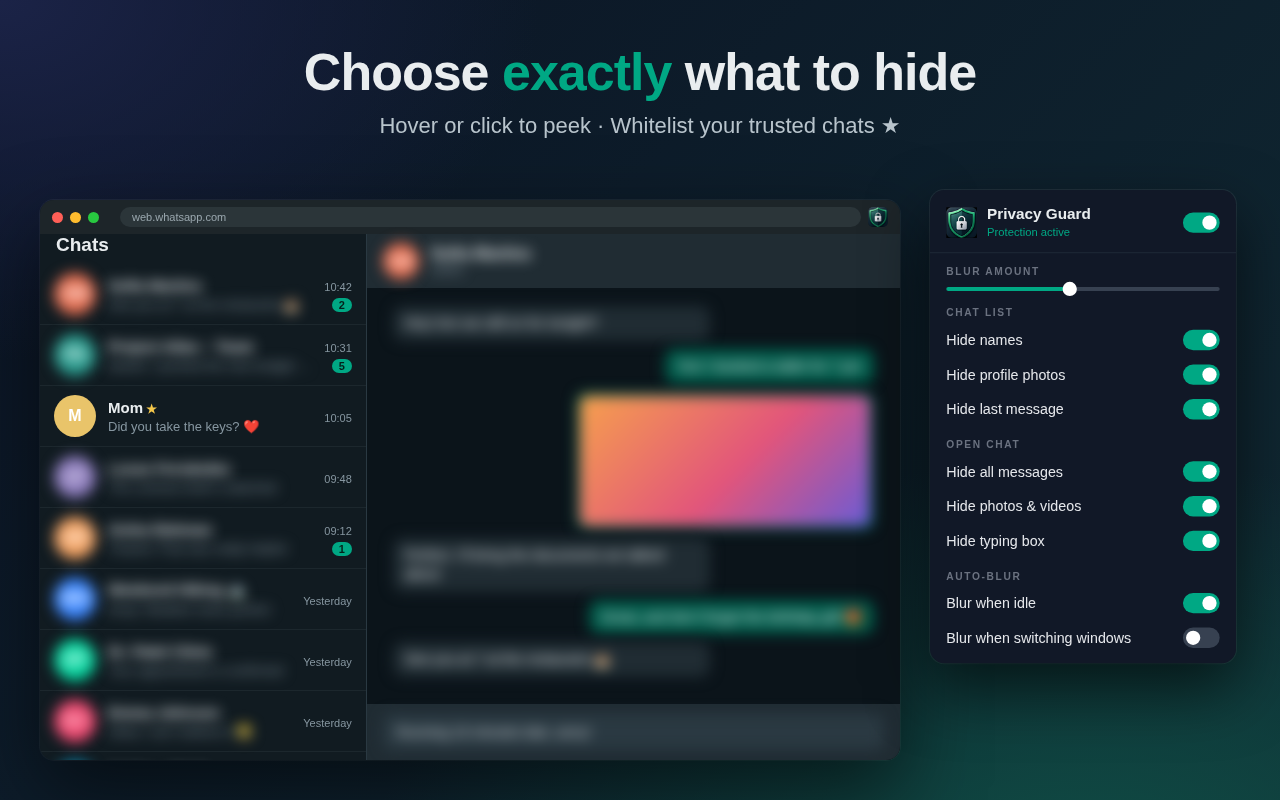
Blur what you choose
Contact names, profile photos, last-message previews, all messages, photos and videos, the media gallery and the typing box.
Hover or click to peek
Take a quick look at a blurred item without turning protection off.
Auto-blur
Everything blurs when you step away or switch to another window. Move the mouse and it's back.
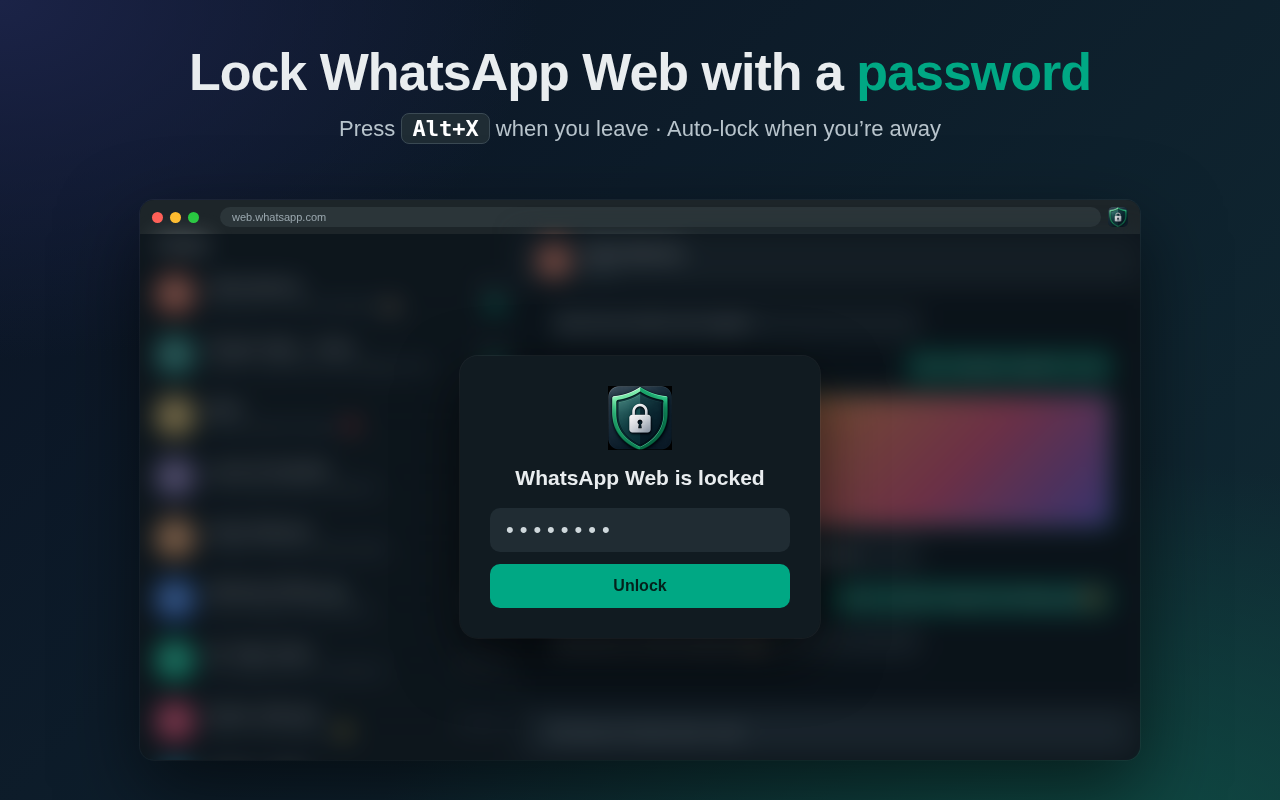
Password lock
Lock WhatsApp Web with a password, by shortcut or automatically after inactivity.
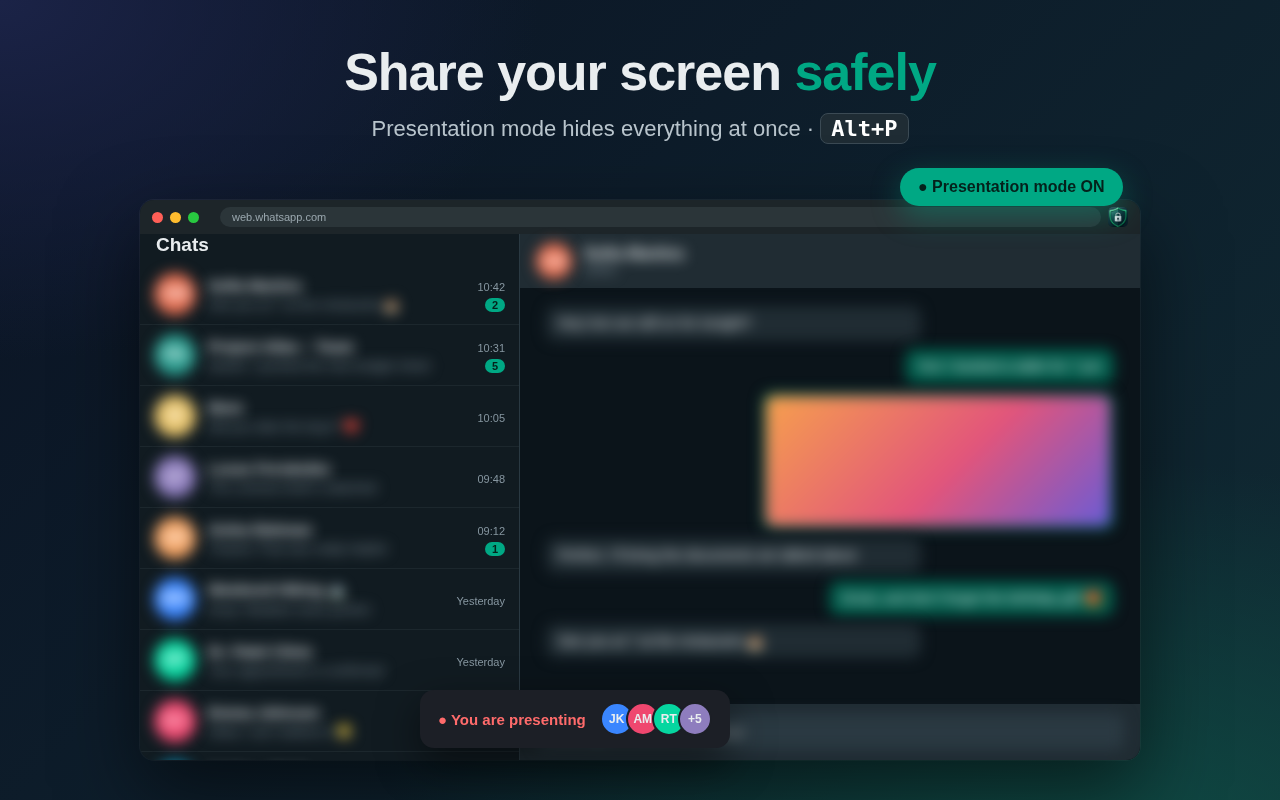
Presentation mode
One shortcut hides everything for meetings, demos, classes and live streams.
Whitelist
Keep trusted chats visible while everything else stays blurred.
See it in action
Works on web.whatsapp.com in Google Chrome and other Chromium browsers.
Keyboard shortcuts
Customize them at chrome://extensions/shortcuts.
Frequently asked questions
Still stuck? Visit the support page.
How do I hide my WhatsApp Web chats at work?
Install Privacy Guard from the Chrome Web Store and open WhatsApp Web. Names, photos, message previews and media are blurred right away. Click the extension icon to choose exactly what to hide.
How do I lock WhatsApp Web with a password?
Open the extension, go to the Lock tab and set a password. Press Alt+X to lock WhatsApp Web instantly, or turn on auto-lock to lock it after a period of inactivity.
Can I blur WhatsApp Web while sharing my screen on Zoom, Google Meet or Teams?
Yes. Press Alt+P to turn on presentation mode, which hides everything at once. Press it again to restore your previous settings.
Does Privacy Guard read or collect my messages?
No. It only applies visual effects on your screen. Nothing is read, stored or sent anywhere: no servers, no accounts, no tracking. See the privacy policy.
Is it free?
Yes, 100% free, with no ads and no premium plan.
Which languages does it support?
English, Español, Português (Brasil), Português (Portugal), Français, Deutsch, Italiano, Русский, Türkçe, Bahasa Indonesia, العربية, हिन्दी, 中文, 日本語 and 한국어. You can switch the language inside the extension.